

Desert Online General Trading LLC
Dubai, United Arab Emirates
Desert Online General Trading LLC
Dubai, United Arab Emirates
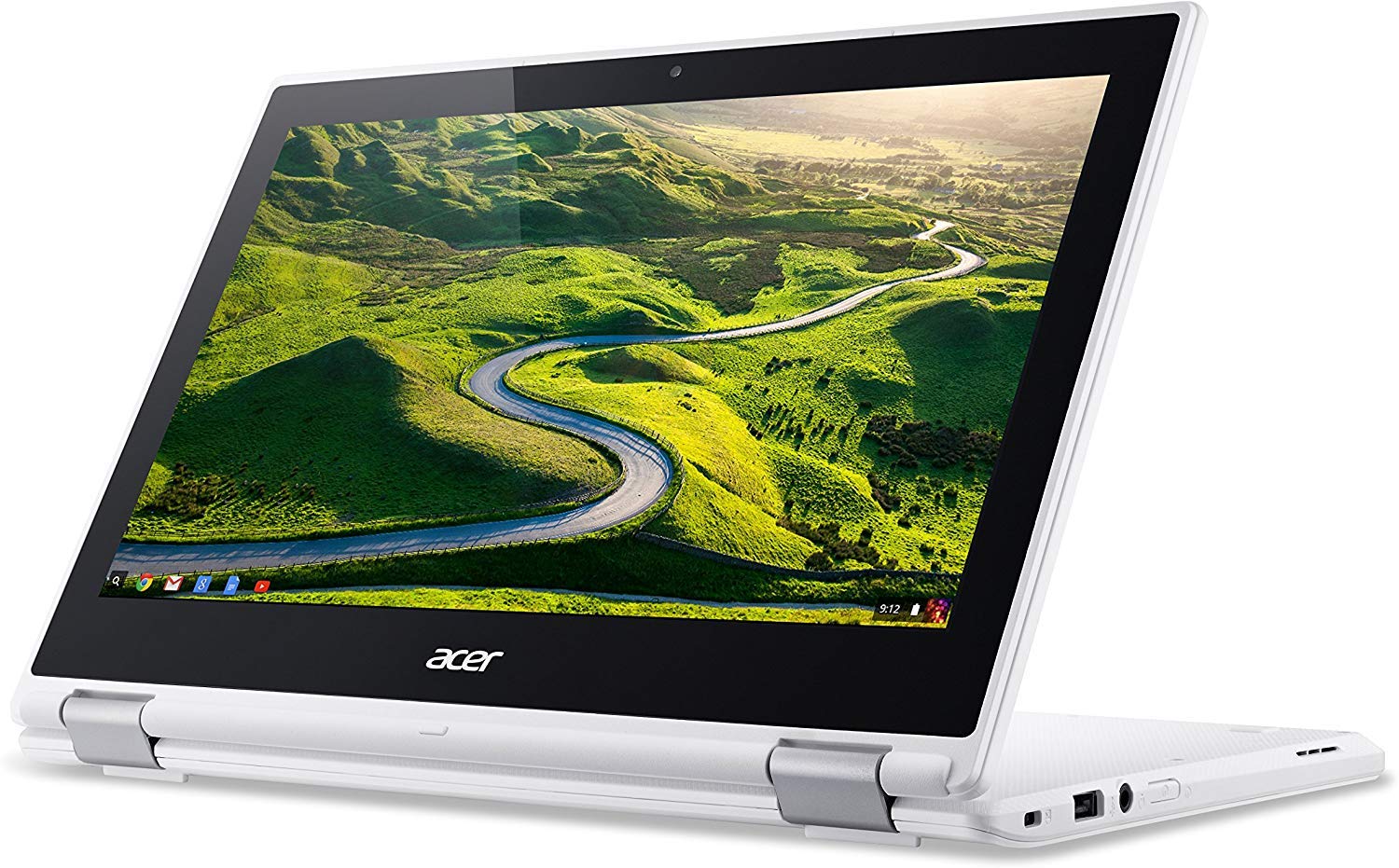
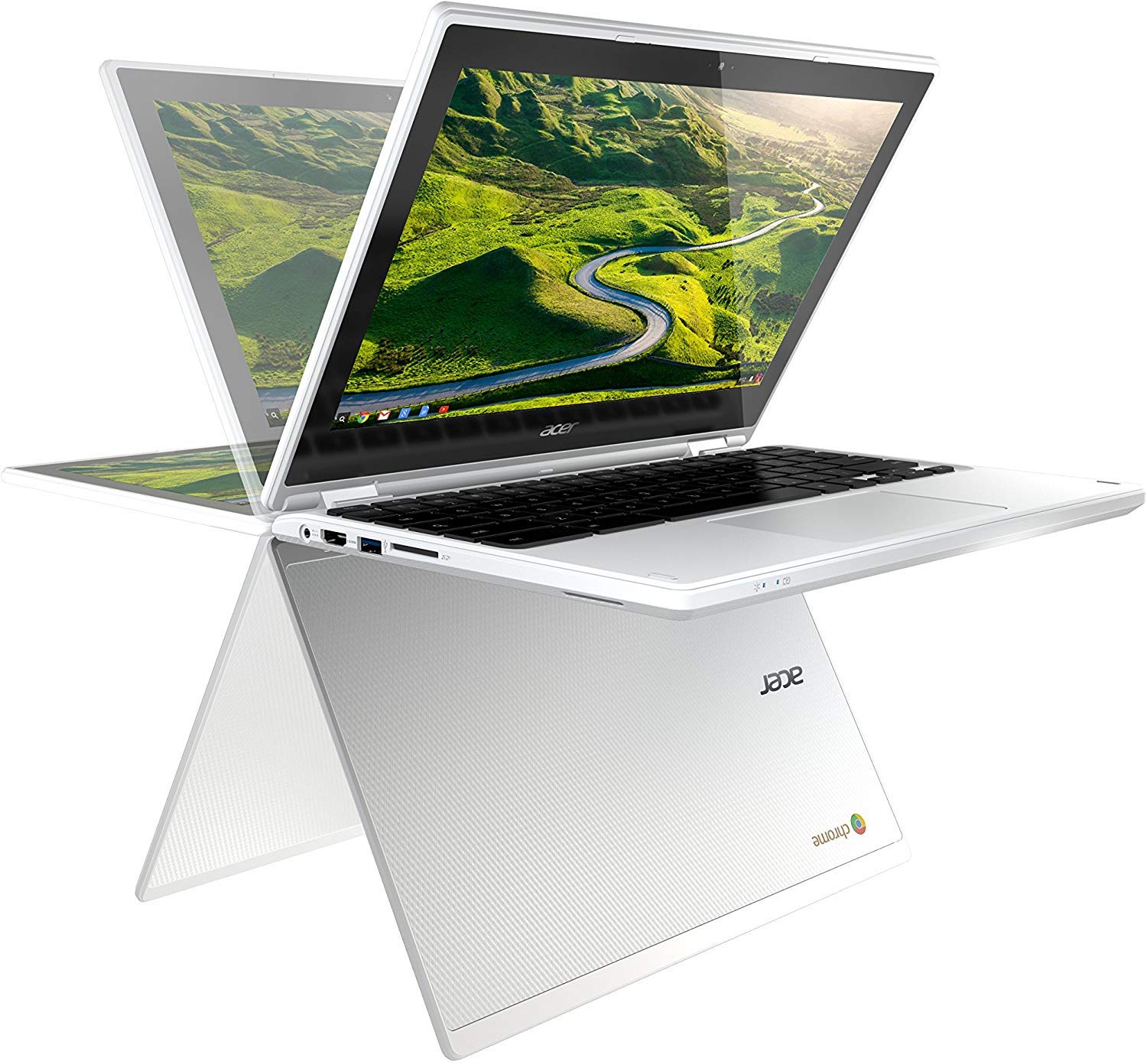
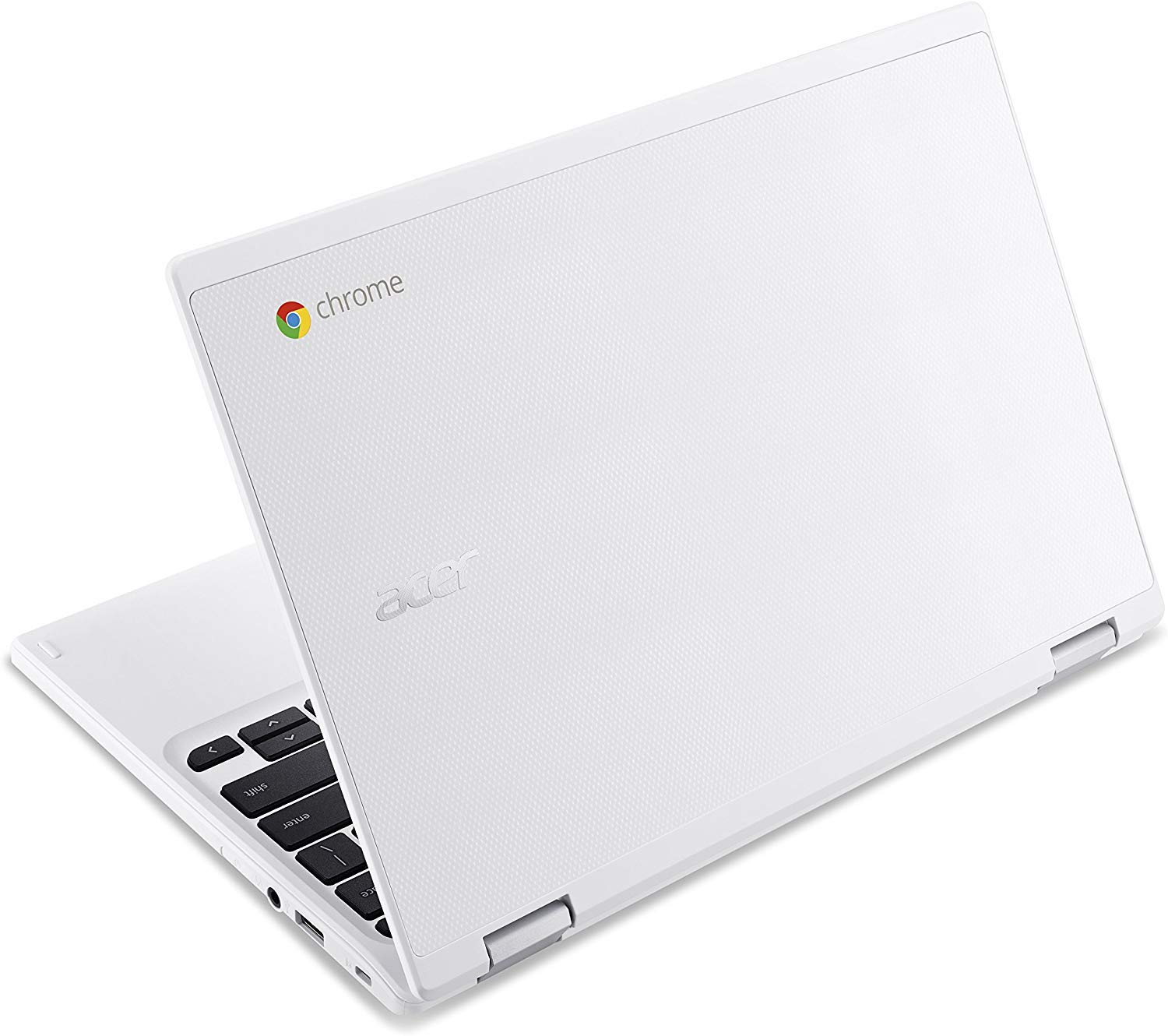
🚀 Flip, touch, and power through your day with the Acer Chromebook R11!
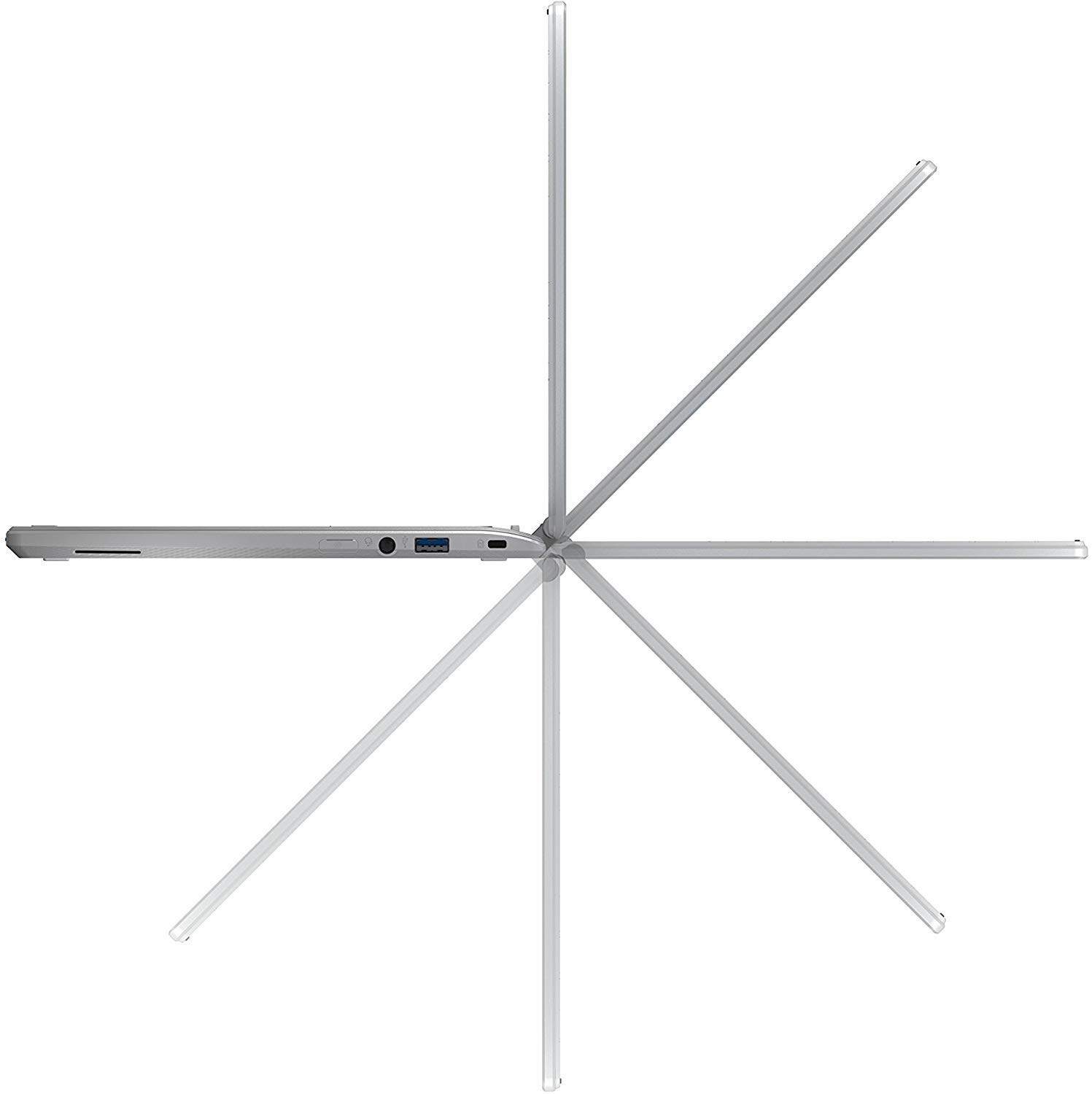
The Acer Chromebook R11 CB5-132T is a versatile 11.6-inch touchscreen laptop featuring an Intel Celeron N3060 dual-core processor, 4GB RAM, and 32GB eMMC storage. Its 360-degree dual-torque hinge and lightweight aluminium design offer flexible usage modes and portability, while up to 12 hours of battery life ensures all-day productivity on Chrome OS.


| Brand | acer |
| Product Dimensions | 20.4 x 29.4 x 1.92 cm; 1.25 kg |
| Batteries | 1 Lithium Ion batteries required. (included) |
| Item model number | NX.G54EK.005 |
| Manufacturer | Acer |
| Series | Chromebook |
| Colour | White |
| Form Factor | Notebook |
| Standing screen display size | 29.46 Centimetres |
| Screen Resolution | 1366 x 768 pixels |
| Resolution | 1366x768 |
| Processor Brand | Intel |
| Processor Type | Celeron |
| Processor Speed | 1.6 GHz |
| Processor Count | 2 |
| RAM Size | 4 GB |
| Memory Technology | LPDDR3 |
| Hard Drive Size | 32 GB |
| Hard Disk Description | Emmc |
| Graphics Coprocessor | Intel HD Graphics 400 |
| Graphics Chipset Brand | Intel |
| Graphics Card Description | Integrated |
| Connectivity Type | Wi-Fi |
| Wireless Type | 802.11b, 802.11g, 802.11n |
| Number of USB 2.0 Ports | 1 |
| Number of USB 3.0 Ports | 1 |
| Number of HDMI Ports | 1 |
| Wattage | 45 watts |
| Optical Drive Type | No |
| Operating System | Chrome OS |
| Average Battery Life (in hours) | 10 Hours |
| Are Batteries Included | Yes |
| Lithium Battery Energy Content | 37 Watt Hours |
| Lithium Battery Packaging | Batteries contained in equipment |
| Lithium Battery Weight | 2 g |
| Number Of Lithium Ion Cells | 2 |
| Item Weight | 1.25 kg |
| Guaranteed software updates until | unknown |
K**H
If you want to see what a Chromebook can really do - look no further. Acer have got it right with this one...
This is a brief overview of this particular model, written within a day or so of it's release, It's earlier incarnation had gained a few "Best Buy" reviews on some of the tech review websites, with a rider that the quality of the track pad was not good. I am happy to report that this failing isn't present on the new model.This Chromebook is a convertible laptop/tablet unit, with an A4 sized footprint. The screen can be folded right around to place the unit in tablet mode. The keyboard is a dream, with, at least for me, just about the right amount of travel and a comfortable key spacing. In laptop mode, the track pad and touch screen work in tandem - which is a delight to use. The screen is bright and readable over a wide range of viewing angles. The webcam is a HD model that produces a clear and quite well balanced output. There is also an option to attach an external monitor via the built in HDMI connector.Battery life appears to be good. I managed to watch a 2 hour HD film on YouTube and then downloaded quite a few apps from the Google Play Store and only managed to drain the battery to about 55% from a full charge over a period of about 3 hours.While the aim of the Chromebook is to work via the Cloud, with a direct link to an associated Google Drive, the presence of an SD card slot permits local saving. Indeed, quite a few of the apps can work "local" without the Net connection. Setup was very straight forward and current boot times are in the order of about 10 seconds!An interesting feature is that the operating system is constantly kept up to date - I had a complete update as soon as I booted up. Don't worry if this happens - this isn't one of Microsoft's 3 annoying jobs - you are looking at a few minutes rather than hours.One other point concerning connection to the network - there isn't a network socket on the machine - you have to use a WiFi connection. My own signal isn't too grand in the house, but I have not yet experienced any problems with the Chromebook which seems happy enough on a weak signal.For me the real delight of this purchase is that this is one of the new generation of Chromebooks that offer support for running Android apps. While some apps still come up as not compatible, I was amazed to find out just how many of the apps from my former Android pad downloaded and worked without problems - especially when considering that I have quite a range of unusual/specialist ones (Amateur Radio data mode converters, a mini recording studio including plug-in instruments and a working Tilt-Theramin emulation and a set of animated instruction apps on how to tie knots, to name a few). I was also pleased to note that one or two of my Android apps have been re-coded to make them totally Chrome compatible (such as the excellent Office Suite Pro - a clone of MS Office and an alternative to the Chrome Docs that come as standard with the machine).Readers should be aware that this is a limited first impression review of what I feel is going to be an excellent machine (it certainly feels like it could well emulate it's ancestor and become a Best Buy in the next round of reviews). Obviously, it will have the usual limitations of not being a Windows or an Apple machine - i.e. it it won't run your extant Windows or OS X software. However, the availability of a wide range of excellent products on the Android App store should compensate for such a limitation - especially when you consider the free or low cost price tags of such apps.As with any computer these days, the limiting factor is the question of whether or not the software you need is available for the platform under consideration. If you absolutely have to run a specialist Windows application (say, for example, "Quickbooks"), then you will, I am afraid, have to retain access to a Windows machine. However, if you do your research and check what is available on the two App Stores (Chrome and Android), you may well be pleasantly surprised and find that this little unit is just what the doctor ordered.For me, to date, this machine has been an excellent discovery - one that will be replacing a number of former phones and tablets.
D**M
Its Good, Glossy and Slick - works out the box in minutes
This is my second Chromebook - my last (Samsung 5500) just reached 6 years old & Google NO longer support it. Buy this Chromebook understanding that in 6 years (or so) it will overnight become 'unsupported' and therefore no longer receive security patches.Do not let this put you off - what other laptop do you expect to cost £250, last 6 years AND still run as fast as day one?Its fast enough to do what its made to do; browse the web, watch YouTube in HD etc, but I cant help feel its slower than my previous Chromebook, which on paper its not).The touchscreen is proper and works well. Something I hadn't appreciated is the screen is SUPER GLOSSY (reflective) so using in bright light is frustrating & requires MAX brightness. The hinge feature is slick & feels STRONG, it is used like a tablet as often as not.Out of the box I turned it on, 60% charged. Connected it to my Wi-Fi, entered my Gmail account & password & bang, done. I'm not joking when I say its was running it minutes, not hours like a Windows Lenova Yoga laptop I just bought.Its whiter than white, and is very light (MUCH lighter than my old Chromebook). I wonder how grubby it'l get over time but the machined metal lid adds some class.Choosing over again i'd avoid due to the glossy screen, but IF all touchscreen's are glossy then 100% wouldn't change it, I love the touchscreen.
R**N
Great Internet daily driver
Really a review on behalf of my sister, who actually uses it (I have a Google Pixel Chomebook). After the demise of her HP laptop I convinced my sister to switch to ChromeOS as her computing mainly consists of internet browsing and the odd document creation and use. Most of her content exists in Google Drive/Play Music being an Android Phone owner so it seemed a logical step to go the whole hog. She loves it. The transition was not difficult and she now enjoys the ability to browse and edit as fast as using her phone and tablet. So much so that the ChromeBook is now her device of choice as its as fast to warm boot as these devices. The Acer is a great workhorse, worth the praise the review bestow and the touch screen has become second nature when being used. Battery life is "Amazing" (her words) often going for days without having to be charged. The addition of Android apps for editing documents offline has added another dimension to the ChromeBooks usefulness. It being lighter than your average notebook/laptop is also a comment that she sees as a great positive. The flip screen, along with it being touch (did I mention that already?) makes watching or listening to streaming media simple and while the speakers are not overwhelming (to be expected) they are still miles better than the Samsung tablet and phone she has. The addition of 100GB of Google Drive storage is also very welcome when you sign in. Moving fully to the cloud may not suit everyone depending on what you use your laptop for of course, but if you spend most or all of your time on the internet, or just a an affordable second machine, the Acer R11 should be very high on your list of devices to consider. PS - Better option to buy the kids rather than that expensive apple or windows laptop.
G**.
Excellent and versatile Chromebook
Really pleased by this, my first Chromebook. Very light and very fast (responsive and starts and closes in seconds).Easy to set up in settings and runs full android apps from Play store.Perfect for media consumption, web browsing, emails, Word documents etc and offers extra 100gb of Google Drive storage when you register (instructions simple and online). SD storage for files, movies etc and HDMI for link to larger screen.Great that it flips all the way around from laptop to display mode to tent and to tablet. Two usb ports, one usb-3.0.Bought after reading several positive tech website reviews (US and UK). Brilliant for the price.
Trustpilot
1 month ago
2 weeks ago